Professional Cable Management Services in Dubai
Cable clutter is not just untidy. It is a genuine problem: tangled wires block airflow around equipment, introduce signal interference between power and data cables run too close together, create tripping hazards, and turn what should be a ten-minute repair into an hour of untangling. Fix On A Click provides professional cable management across all of Dubai, covering residential home theatres and entertainment setups, commercial offices and workstations, server rooms, and retail POS environments.
Good cable management is planned before the first cable is moved. It accounts for how each device connects, which cables carry power and which carry data, where future devices are likely to be added, and how a technician needs to access the system for maintenance. Our team assesses your existing setup, designs a routing and organisation plan, and implements it using the right materials — so the result holds up long-term rather than unravelling within weeks.

Cable Management Prices in Dubai
Indicative pricing for residential and commercial cable management. Final cost confirmed on site after the technician has assessed the setup, cable count, and routing complexity.
Residential Organisation
| Service | Starting From |
|---|---|
| Basic Cable Organisation TV or single small device setup | AED 150 |
| Standard Home Setup TV + multi-device entertainment unit | AED 150 |
| Concealed Management Hiding cables inside walls or trunking | AED 300 |
| Full Home Organisation Complete residential cabling audit | AED 500+ |
Commercial & Office
| Service | Starting From |
|---|---|
| Workstation Desk Setup Per desk organisation (minimum 2 desks) | AED 150 |
| Small Office Organisation General clutter removal and routing | AED 300 |
| Structured Cabling Full office network setup | AED 800+ |
| Server & Network Room Advanced server rack management | AED 1500+ |
Real Problems
Caused by Unmanaged Cables
Cable clutter is not just a cosmetic issue. These are the measurable, practical consequences of cables left unorganised in homes and commercial spaces.
Equipment Overheating
Cables bundled tightly around routers, switches, and computers block airflow through vents. We have attended office setups in Dubai where routers were throttling network speeds by 40% because cables pressed against the side vents had raised internal temperatures above threshold. The fix was 90 minutes of cable rerouting and tray installation. No hardware replacement needed.
Signal Interference
Power cables and data cables run in parallel — or worse, tied together — create electromagnetic interference that degrades network performance and audio/video quality. In one JLT office we organised last year, separating power runs from ethernet and HDMI runs on different sides of the desk tray eliminated persistent connection drops the client had been experiencing for months without a clear cause.
Tripping Hazards
Cables running across floors in offices and retail environments are a direct safety risk. In commercial settings, they also represent a liability exposure. UAE workplace safety regulations require accessible areas to be kept clear of hazards. Floor-level cables that are not secured in trunking or routed under raised flooring fail this requirement regardless of how temporary the setup is supposed to be.
Fire Risk from Damaged Cables
Cables that are pinched under furniture legs, repeatedly bent at sharp angles, or run under carpets develop insulation damage over time. Damaged insulation on a live cable is a fire risk. In Dubai's residential towers and commercial properties, this is taken seriously by building management and fire safety regulations. Professional cable routing avoids these failure modes from the start.
Slow Maintenance and Repairs
When a cable fails in an unorganised system, finding it requires tracing through a bundle of unlabelled wires. In server rooms and network setups, this adds hours to what should be a fast repair. In one data centre job in Dubai Internet City, the client estimated their IT team was spending 3 to 4 hours per month untangling and retracing connections that had drifted out of order. After restructuring, they could trace any connection in under two minutes.
Accidental Disconnections
Loose cables in shared workspaces and home entertainment setups get disconnected by accident when someone moves furniture, reaches under a desk, or cleans the area. Each accidental disconnection in a server context is a potential service interruption. Secured, labelled cables run through trays and raceways do not move when someone pushes a chair back or a cleaner hoovers under the desk.
Poor Visual Presentation
For client-facing offices, hotel rooms, retail environments, and high-end residential spaces, visible cable clutter sends the wrong message. A meeting room with cables trailing across the floor or a TV wall with a tangle of wires hanging below it undercuts the impression the space is supposed to create. Clean cable management is a straightforward upgrade that the space immediately reflects.
No Room to Expand
An unplanned cable layout makes adding new equipment significantly more disruptive than it needs to be. Every new device adds another cable to the existing tangle. A properly planned cable management system leaves space for additional runs, uses modular trays that accept new cables without rewiring the whole setup, and routes to logical junction points so expansion is a clean addition rather than a major rework.
Why Professional Cable Management Produces a Different Result
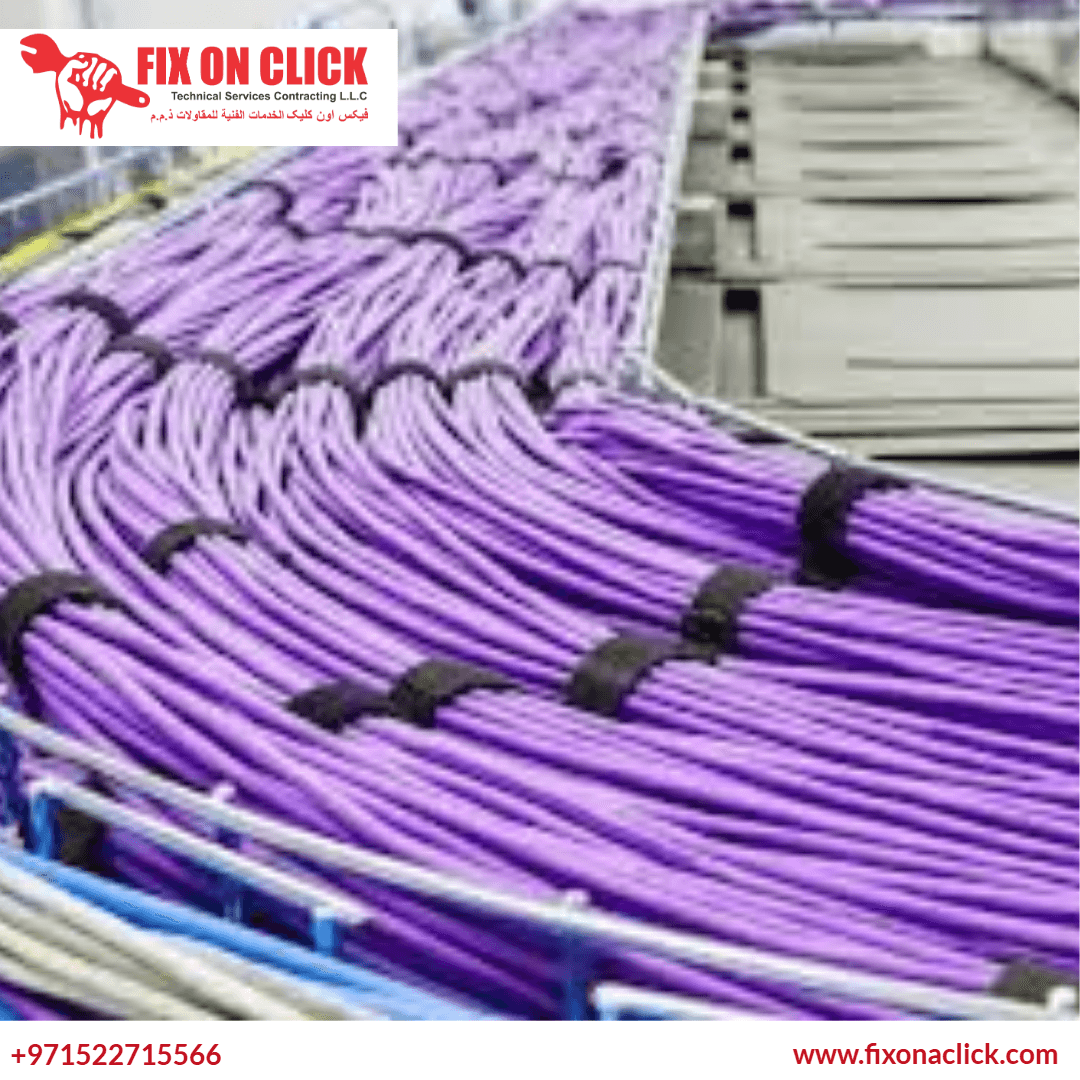
Cable ties and velcro wraps from a hardware store will tidy up a small desk setup. They will not solve the structural problems in a 20-desk office or a home theatre with 15 connected devices. Professional cable management starts with a plan: which cables carry what, where they need to go, which runs must stay separated, and how the system needs to be accessed for future changes. The materials are selected to match the environment — flame-retardant raceways for concealed runs, perforated trays for server rooms where airflow matters, adhesive-backed cord covers for clean surface-mount routes in residential setups.
We completed a cable management job for a marketing agency in Business Bay with 35 workstations last quarter. Their IT setup had grown organically over three years and the floor cable situation had become a genuine trip hazard. The network also had intermittent reliability issues that their IT vendor had attributed to the switches. After our team routed all power cables through under-desk trays separate from data lines, labelled every run from desk to patch panel, and secured all floor crossings in rated floor cable covers, the connection drop issues stopped entirely. The switches were fine.
Planned Before Executed
We map the full cable layout before moving a single wire. Device positions, power and data separation requirements, access points, and future expansion space are all considered. A cable management job done without a plan looks tidy for three months, then reverts to chaos when one new device is added.
Every Cable Labelled
Every run is labelled at both ends with durable identification tags. In a residential setup this means knowing which HDMI cable feeds which screen without guessing. In a commercial setup it means a technician can identify and swap out a specific cable in under two minutes rather than tracing an unlabelled bundle from one end to the other.
Right Materials for Each Environment
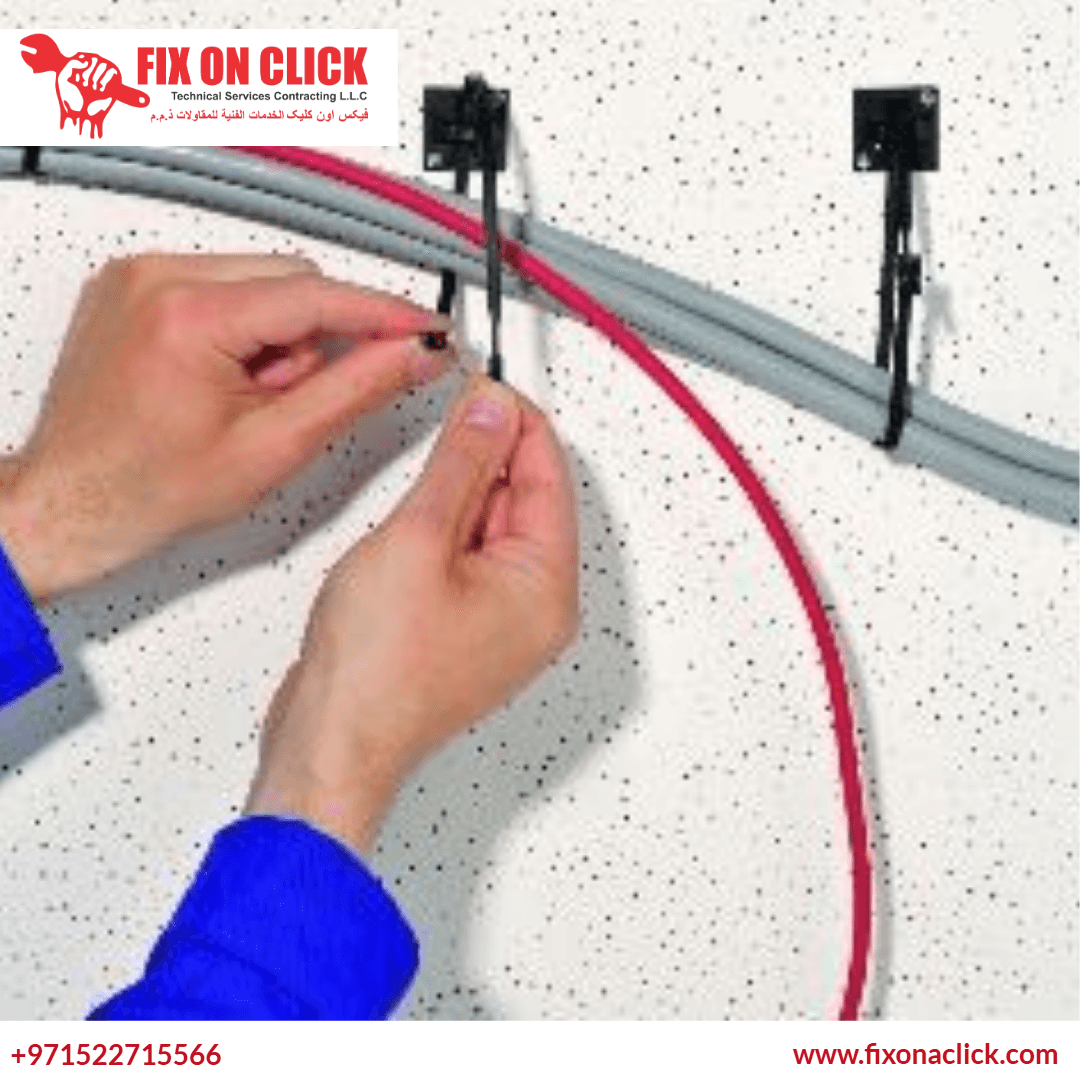
Residential, commercial, and server environments require different products. Flame-retardant raceways for wall-concealed runs, perforated steel trays for ventilated server rooms, metal conduit for areas subject to physical damage, and low-profile adhesive covers for surface-mount residential runs. Using the correct material for the environment is not optional — it affects safety, longevity, and code compliance.
Built for Future Expansion
Trays and raceways are sized with spare capacity. Junction points are positioned to accept new device additions without requiring a full rework. When you add a monitor, a new workstation, or a smart home device, the cabling infrastructure accommodates it cleanly rather than reverting to the same tangle that prompted the original job.
Cable Management
for Every Environment
Different spaces present different cable management challenges. We adapt the approach, materials, and routing strategy to match the specific requirements of each environment.
Home Theatre & Entertainment
TV wall mounts with no visible cables, AV receivers connected to multiple sources, gaming setups, and multi-speaker audio systems. Cables are run behind the wall or through trunking channels along the wall edge, with access points at the TV mounting height and equipment shelf level. The finished result should show the screen and the equipment — not a cascade of cables hanging below both.
Office Workstations
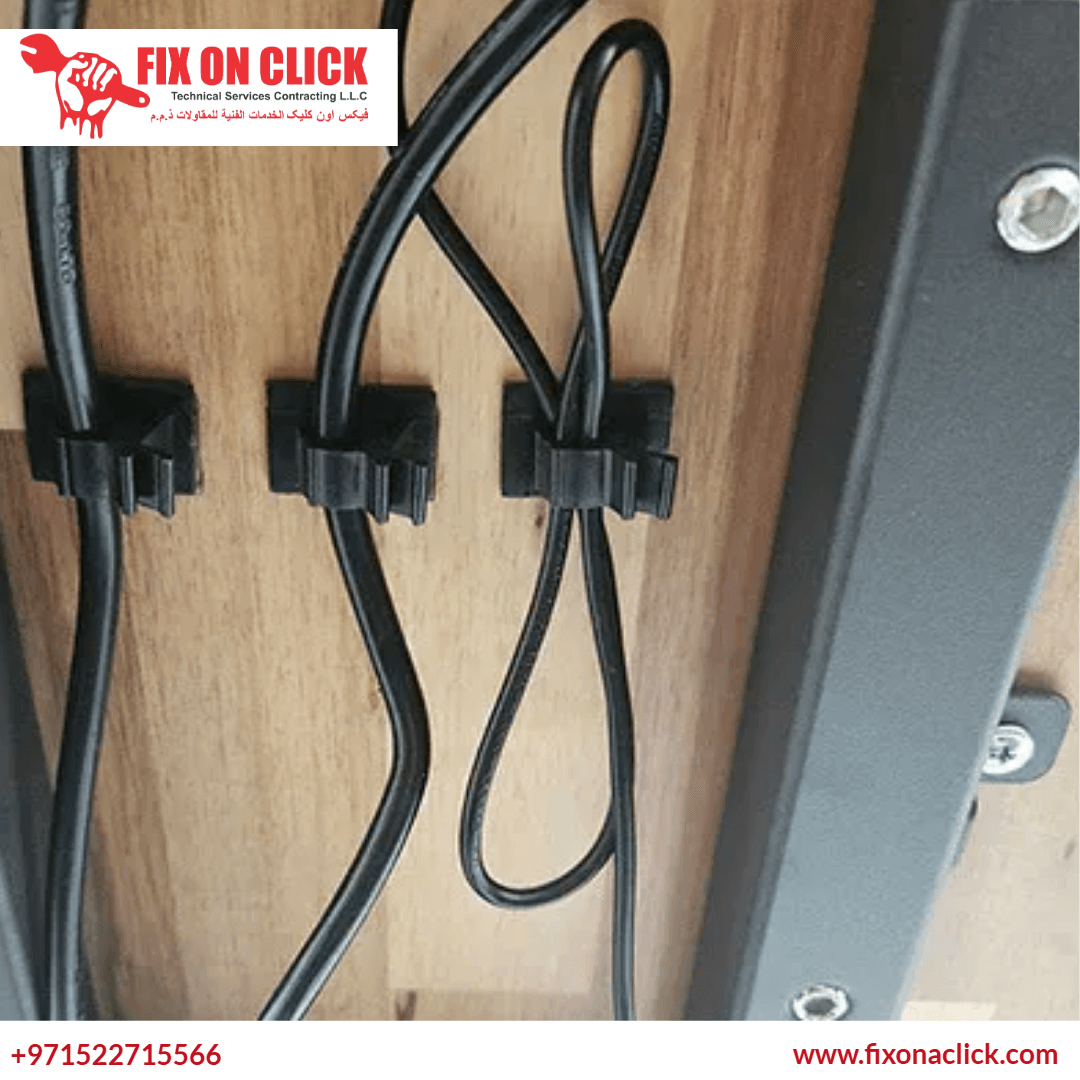
Under-desk cable trays separate power strips and charging blocks from monitor, keyboard, and peripheral cables. Data lines from each workstation run in a dedicated tray to the wall and from there to the patch panel. Floor crossings use rated flat cable covers that are barely visible and present no trip hazard. Each connection is labelled at both ends so IT support can identify any run in seconds.
Server & Network Rooms
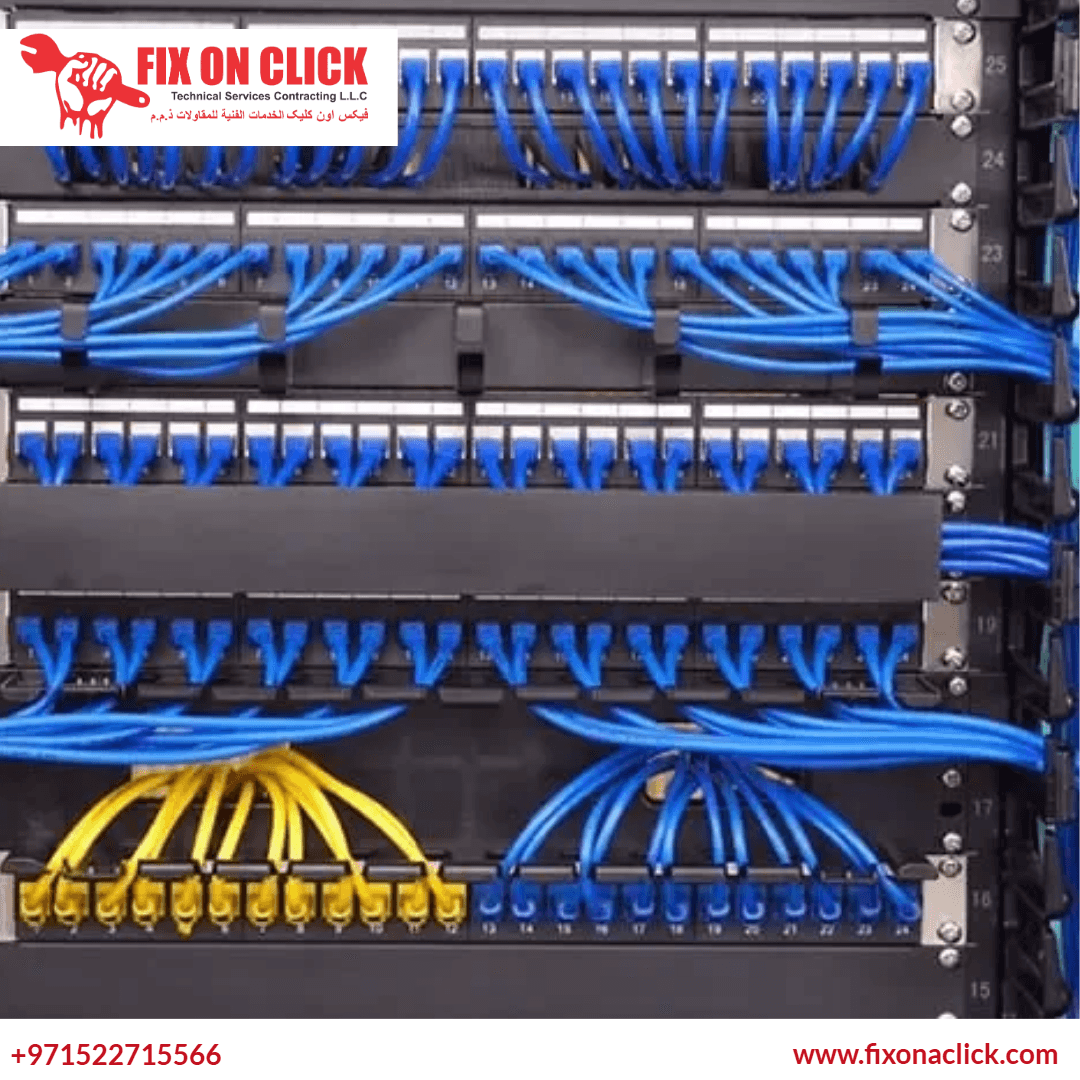
Horizontal and vertical cable managers in server racks. Patch panel runs organised by VLAN or function and colour-coded by type. Power and data runs on opposite sides of the rack. Every cable long enough to reach the next termination point without excess slack — and labelled at both ends with permanent identification. Airflow is preserved throughout.
Retail & POS Environments
Point-of-sale systems, payment terminals, receipt printers, barcode scanners, and digital display screens each introduce cables into a customer-facing space. Surface-mount raceways along the counter edge and behind shelving keep all cables out of sight while remaining accessible for hardware swaps when a terminal is replaced. Clean cable management in retail directly affects the customer's perception of the space.
Hotel Rooms & Meeting Spaces
Hotel rooms require TV mounting with completely hidden cables and integrated desk setups where the guest sees clean surfaces and accessible power. Meeting rooms need presentation screens, conferencing equipment, and room control systems wired cleanly with single-cable desk connectivity solutions. Both settings require durable installations that perform under daily use with no visible cables.
Residential Smart Home
Smart home setups involve home automation controllers, network switches, smart speakers, security cameras, and access control panels — all wired together. Getting the cabling infrastructure right from the start means devices are stable and the system is expandable. We route all smart home cabling through wall cavities or dedicated trunking, with a centralised network point in a clean cabinet or cupboard.
How It Works — Our Cable Management Process
Every cable management job follows a structured approach from initial assessment through to testing and handover. No setup gets a one-size-fits-all treatment.
Contact & Scope
Call or WhatsApp with your setup type, space, and the main problems you want resolved. This allows us to arrive prepared with the appropriate materials and tools for your specific environment.
Site Assessment
We photograph and document the existing cable layout, identify all devices and connections, note any safety or performance issues, and confirm wall materials and routing paths for any concealed runs planned.
Layout Planning
A routing plan is agreed before any work begins. Power and data separation is mapped, tray and raceway positions are confirmed, labelling convention is decided, and access points for future maintenance are planned into the layout.
Installation
Trays, raceways, and mounting hardware are installed. Cables are routed, separated, and secured. Concealed runs are routed through walls or trunking. Labelling is applied at both ends of every cable. The area is kept clean throughout.
Testing
Every device is powered on and confirmed operational after the installation. Network connectivity, AV signal quality, and power delivery are verified across the full setup before the job is considered complete.
Handover & Guide
You receive a walkthrough of the labelling system and an explanation of the routing logic, so you or your IT team can add a device, trace a connection, or make a change without needing to call us back for every minor update.
6 Solid Reasons
To Choose Fix On A Click
Dubai businesses and homeowners choose Fix On A Click for cable management because the result holds up — practically and visually — long after the job is done.
Planned Before Started
Every cable management job begins with a layout plan agreed on site. We do not start moving cables until the routing logic, separation requirements, and access points have been mapped. Planning prevents the result from looking tidy for weeks and then gradually reverting.
Full Cable Labelling
Every cable is labelled at both ends using durable identification tags before the job is signed off. Residential setups use simple function labels. Commercial and server environments get structured labelling that maps directly to a patch panel or network diagram. This is standard on every job — not an add-on.
Correct Materials for Every Environment
Residential, commercial, and data centre environments each need different products. We use flame-retardant raceways, steel perforated trays, low-profile adhesive cord covers, and metal conduit where each is appropriate. Using the right material is not cosmetic — it affects safety, airflow, and compliance.
Tested Before We Leave
Every device is powered on and confirmed operational after installation. Network links, AV signals, and power connections are all verified. The job is not finished when the cables are tidy — it is finished when everything works correctly after the cables are tidy.
Built for Expansion
Trays and raceways are sized with spare capacity. Junction points are positioned to accept new cables without a full rework. When you add devices in six months, the system accommodates them cleanly. This is a planning decision made at the start of the job — it costs nothing extra but makes a significant difference later.
All Dubai Areas Covered
We work across residential and commercial properties in every area of Dubai. Downtown, Marina, JBR, JVC, Business Bay, DIFC, Silicon Oasis, Al Barsha, Mirdif, and all surrounding communities. One call and we schedule the visit within 24 to 48 hours, seven days a week.
Frequently Asked
Questions About Cable Management
Direct answers to what Dubai homeowners and businesses most commonly ask about professional cable management.
How much does cable management cost in Dubai?
Indicative prices are listed on this page: basic residential setups start from AED 150, concealed cable management from AED 300, and commercial office or server room work from AED 300 to AED 1,500 or more depending on scale. The confirmed cost is provided on site after the technician has assessed the cable count, routing complexity, and materials needed. Call or WhatsApp us with a brief description of your setup and we can give a realistic range before the visit.
How long does a cable management job take?
A single TV wall or home entertainment setup with no wall concealment takes 1.5 to 2.5 hours. A standard 5-desk office setup takes 3 to 4 hours. Concealed cable management involving wall routing takes longer depending on the number of runs and wall material. Server room organisation is typically a full day or more depending on rack count. We give a specific time estimate once the scope is confirmed on site.
Will you hide cables inside the wall?
Yes, where the wall construction allows it. Plasterboard walls in Dubai apartments and villas are generally suitable for in-wall cable routing — a small channel is cut, the cable is run inside conduit, and the wall is made good after. Concrete walls can also be chased, though this is more involved and noisier. Where full wall concealment is not practical, surface-mount trunking fixed along the wall edge or behind furniture provides a clean alternative that keeps all cables out of sight without requiring any wall work.
Can you manage cables without drilling into walls?
Yes. For rental properties and spaces where drilling is not an option, surface-mount cable covers and adhesive-backed raceways provide a clean result without any wall penetration. Under-desk cable trays clip to the desk frame without requiring wall fixings. Floor cable covers rated for foot traffic contain floor-level runs without drilling. The result is not identical to a fully concealed in-wall installation, but it is significantly cleaner than unmanaged cables and is completely reversible.
Do you manage cables for server rooms and data centres?
Yes. Server room and network cabinet cable management is one of our commercial specialities. This involves installing horizontal and vertical cable managers in racks, organising patch panel runs by function or VLAN, colour-coding cable types, sizing each run to the correct length with no excess slack, and labelling every connection at both ends. Airflow preservation throughout the rack is built into the routing approach — power and data runs are routed on opposite sides of the cabinet as standard.
Why does separating power and data cables matter?
Power cables generate an electromagnetic field. Data cables running in parallel alongside power cables — or tied to them in the same bundle — can pick up that interference, which manifests as network packet loss, slow data transfer speeds, or degraded audio and video signal quality. The solution is straightforward: keep power runs and data runs physically separated by at least 30mm and, where they must cross, route them at 90 degrees rather than in parallel. This is a standard practice in professional cable management and costs nothing once it is built into the routing plan from the start.
How do I arrange a cable management visit in Dubai?
Call or WhatsApp Fix On A Click on +971 52 271 5566. Describe the environment — residential, office, server room — and give us a rough idea of the scope: number of desks, devices, racks, or rooms involved. We give you an indicative cost range and schedule a visit. The confirmed cost is provided on site after the technician has assessed the setup. We cover every area of Dubai and book within 24 to 48 hours of first contact, seven days a week.

Book Your Cable Management Visit Today
Whether your TV wall is a tangle of exposed wires, your office floor is a trip hazard, or your server room needs a complete restructure — call or WhatsApp Fix On A Click. Describe the setup, tell us the scale, and we schedule a visit. We cover every area of Dubai, seven days a week.
We serve Downtown Dubai, Dubai Marina, JBR, Palm Jumeirah, JVC, Al Barsha, Business Bay, Jumeirah, DIFC, Mirdif, Deira, Bur Dubai, Arabian Ranches, Al Quoz, Dubai Hills, Silicon Oasis, and every other community across the emirate.
Cable Management Across All of Dubai
Don't see your area? We cover every corner of Dubai — call us and we will come to you.