
Dubai’s Trusted Cable Management Specialists

Professional Cable Management Services in Dubai

Walk into any office in JLT, a villa in Arabian Ranches, or a shop in Al Barsha and you’ll find the same thing behind the desks, TVs, and counters — a knot of cables that nobody wants to touch. Most people live with it because they assume it’s normal. It isn’t. Tangled cables block the vents on your router and switches, which pushes temperatures up and slows your network down. They cause signal problems when power lines run right next to ethernet cables. They become a tripping hazard the moment a cable gets dragged across a walkway. And when something stops working, finding the right cable in that mess can take an hour instead of ten minutes.

Fix On A Click has been organising cable setups across Dubai for over ten years now. We handle everything from hiding the cables behind a single TV wall mount in a Marina apartment to re-cabling an entire office floor with 40+ workstations in Business Bay. The approach is the same regardless of the job size — we look at what’s connected, figure out where each cable needs to go, decide which materials make sense for that specific space, and then route and label everything so it actually stays organised. Not for a few weeks. Long-term.

We’ve worked in Dubai Media City offices where cable mess was causing actual network drops. In server rooms in Dubai Internet City where unlabelled racks were costing the IT team hours every month. In hotel rooms on Sheikh Zayed Road where visible cables behind the TV were failing guest satisfaction scores. In villas in Palm Jumeirah where the homeowner’s interior designer refused to sign off until every wire was hidden. The scope changes, the underlying problems don’t.

Professional cable management Dubai - Fix On Click technician organising cables behind TV wall mount and office workstations
10+Years Experience
5000+Jobs Completed
7 DaysAvailability

Cable Management Prices in Dubai

These are starting prices based on the jobs we handle most often across Dubai. The final quote comes after our technician has physically seen your setup — how many cables are involved, what routing the space actually requires, and whether any wall or ceiling work is needed to get the result you want.

ServiceStarting From
Basic Cable Organisation Single TV or one small device — surface tidy with cable ties and clips, no wall workAED 150
Standard Home Entertainment TV with soundbar, streaming device, and gaming console — trunking or concealed routingAED 250
Concealed Wall Routing Cables hidden inside plasterboard cavity or through paintable trunking blended to wall colourAED 350
Full Villa Cabling Organisation Multiple rooms covered — living room, bedrooms, study, with trunking runs and labellingAED 800+
Smart Home Cable Infrastructure Centralised network cabinet, device cabling to controller, cameras, and access panelsAED 1500+
ServiceStarting From
Single Workstation Setup Under-desk tray, power and data separation, cable labelling at both endsAED 150
Small Office (Up to 10 Desks) Full desk organisation, floor crossing covers, patch panel labelling includedAED 350
Medium Office (10 to 30 Desks) Trunking runs along office perimeter, data and power separation, full labelling systemAED 800+
Large Office Structured Cabling 30+ desks, raised floor or ceiling routing, full network redesign with documentationAED 2500+
Server Room & Rack Management Rack organisers, patch panel sorting, power-data separation, airflow setup, full labellingAED 1500+
Every job is priced after the technician has walked through the space and counted the cables. The numbers above cover standard scenarios — your actual quote will reflect the real cable count, whether routing needs to go through walls or ceilings, the property type (plasterboard villa versus concrete tower), and what materials are required for that specific installation. We confirm the final price before starting any work. No surprises on the bill.

Real Problems
Caused by Unmanaged Cables

Most people ignore cable mess until something actually stops working or someone gets hurt. These are the problems we walk into on site across Dubai — not theoretical ones from a manual.

01

Equipment Overheating

We got called to an office in Dubai Media City where the router was literally hot to touch. Cables were pressed flat against every vent on the unit. Speed tests showed they were getting less than half the bandwidth they were paying for. Took us about 90 minutes to reroute everything through a proper cable tray — speeds went back to normal without touching any hardware. The cables were the only problem.

02

Signal Interference

Power cables and ethernet cables tied together in one bundle create electromagnetic interference that degrades network performance and messes with audio and video quality. A client in JLT had been dealing with random Wi-Fi drops for months — their IT contractor kept blaming the ISP. We separated the power runs from the data runs on opposite sides of the cable tray. Problem gone that same afternoon.

03

Tripping Hazards

Cables across the floor in an office or shop aren't just messy — they're a liability. UAE workplace safety rules require walkable areas to be clear of obstructions. If an employee or customer trips and gets injured, that cable running across the floor becomes a legal problem, not just an untidy one. We see this constantly in retail spaces around Dubai where POS cables get dragged into customer areas.

04

Fire Risk from Damaged Insulation

Cables pinched under furniture legs, bent sharp under carpets, or crushed in doorframes develop cracks in the insulation over time. Exposed conductors on a live cable can arc and ignite surrounding material. Building management in Dubai towers flag this during routine inspections — we've seen units issued notices specifically because of damaged cables running under rugs near power outlets.

05

Wasted Maintenance Hours

A cable goes bad in a rack with 200 unlabelled runs — now someone has to pull each cable one by one to find the right one. We reorganised a server room in Dubai Internet City where the IT team was spending 3 to 4 hours every month just tracing cables that had drifted out of order. After restructuring and labelling, they could identify any connection in under two minutes. That's 40+ hours saved per year on just one room.

06

Accidental Disconnections

Someone pushes a chair back, the cleaning crew vacuums under a desk, or a cable gets snagged when moving a monitor — and suddenly a workstation is down. In a server rack context, one yanked cable can take down an entire department's network connection. Secured cables in trays and raceways don't budge when the chair moves or the vacuum runs. The cable stays where it's supposed to stay.

07

Poor Visual Presentation

A meeting room with cables trailing across the floor, or a Palm Jumeirah villa where a 65-inch TV has a bird's nest of wires hanging below it — it kills the look of the entire space. We get called into high-end flats in Downtown and Dubai Marina specifically because the homeowner or interior designer flat out refuses to live with visible cables. Can't blame them. You spend that much on a fitout and then let cables ruin it.

08

No Room to Expand

Add a new monitor, a printer, a smart home hub — and now there's one more cable jammed into an already full bundle with no logical path. A properly planned system has spare capacity in the trays, accessible junction points, and routing that makes sense so new devices plug in without tearing apart what's already there. We've redone jobs where the previous installer filled every tray to capacity — one new device meant a complete rework.

Why a Professional Job Looks Different From a DIY One

You can buy cable ties and velcro strips from Ace Hardware and tidy up a single desk in 20 minutes. That works for one workstation. It falls apart the moment you're dealing with an entire office floor or a home theatre with a dozen connected devices. The difference isn't in the ties — it's in the planning. Which cables carry power, which carry data, where they need to stay separated, how future devices will connect, and what happens when something needs to be replaced or traced. A professional job accounts for all of this before the first cable is moved.

We finished a job for a marketing agency in Business Bay last quarter — 35 desks, cables everywhere, people tripping in the walkways. Their IT contractor had told them the network switches needed replacing because of constant connection drops. We rerouted all power cables through under-desk trays on one side, kept data lines on the other, labelled every single run from desk to patch panel, and put rated floor cable covers on every crossing. Connection issues stopped completely. The switches were perfectly fine — the cabling had been the problem the entire time. That's the kind of thing a proper assessment catches that cable ties never will.

Planned Before a Single Wire Moves

We map the full layout first. Where devices sit, which direction cables need to run, where power and data must stay apart, and where to leave extra capacity for devices you'll add later. A job without a plan looks neat for a few months — then one new device gets added and it unravels back into a mess. We've been called back to fix exactly these situations after someone else did a quick tidy-up without thinking ahead.

Every Cable Labelled at Both Ends

At home this means you know which HDMI goes to which screen without pulling cables out to check. In an office it means a technician can swap a specific cable in seconds instead of tracing an unlabelled bundle for 20 minutes. We use a printed labelling machine on site — not handwritten tape that becomes illegible in a month. Every label corresponds to a reference so there's no guessing involved.

Right Materials for the Right Place

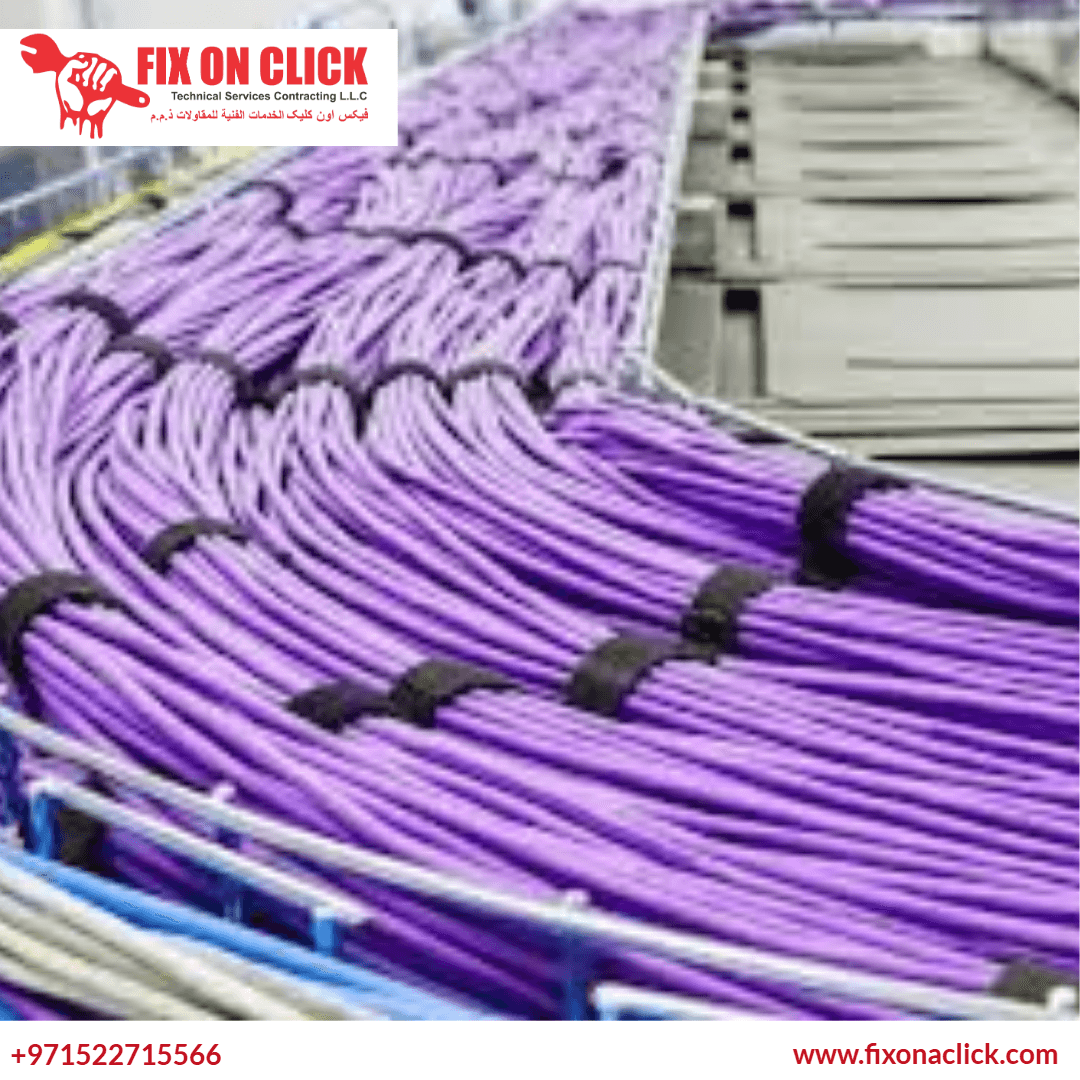
Flame-retardant raceways inside walls where fire safety matters. Perforated steel trays in server rooms where airflow is critical. Metal conduit in warehouses and loading docks where cables take physical abuse. Low-profile adhesive covers on visible residential walls where aesthetics matter most. Using the wrong material doesn't just look bad — it can fail a building inspection or create an actual hazard.

Built So You Can Actually Expand Later

Trays and raceways get sized with room to spare. Junction points sit where new devices can plug in cleanly. When you add that second monitor, the new printer, or the smart home controller six months later, the infrastructure handles it without a rework. We've seen too many setups where adding one device meant redoing the entire job because the original installer filled every tray to capacity with zero headroom.

Documentation Provided for Commercial Jobs

For offices and server rooms, we provide a cable schedule — a reference sheet listing every cable run, what it connects, where it routes, and its label ID. Your IT team or any future maintenance contractor can look at this document and understand the entire cabling layout without physically tracing a single wire. Most cable tidy-up jobs skip this step entirely, which means the next person who touches the setup is back to guessing.
Cable Management
for Every Environment

A villa living room and a server room in DIP need completely different approaches. The materials, routing method, and access requirements change with each space. Here's how we handle the main ones we see across Dubai.

Home Theatre & Entertainment

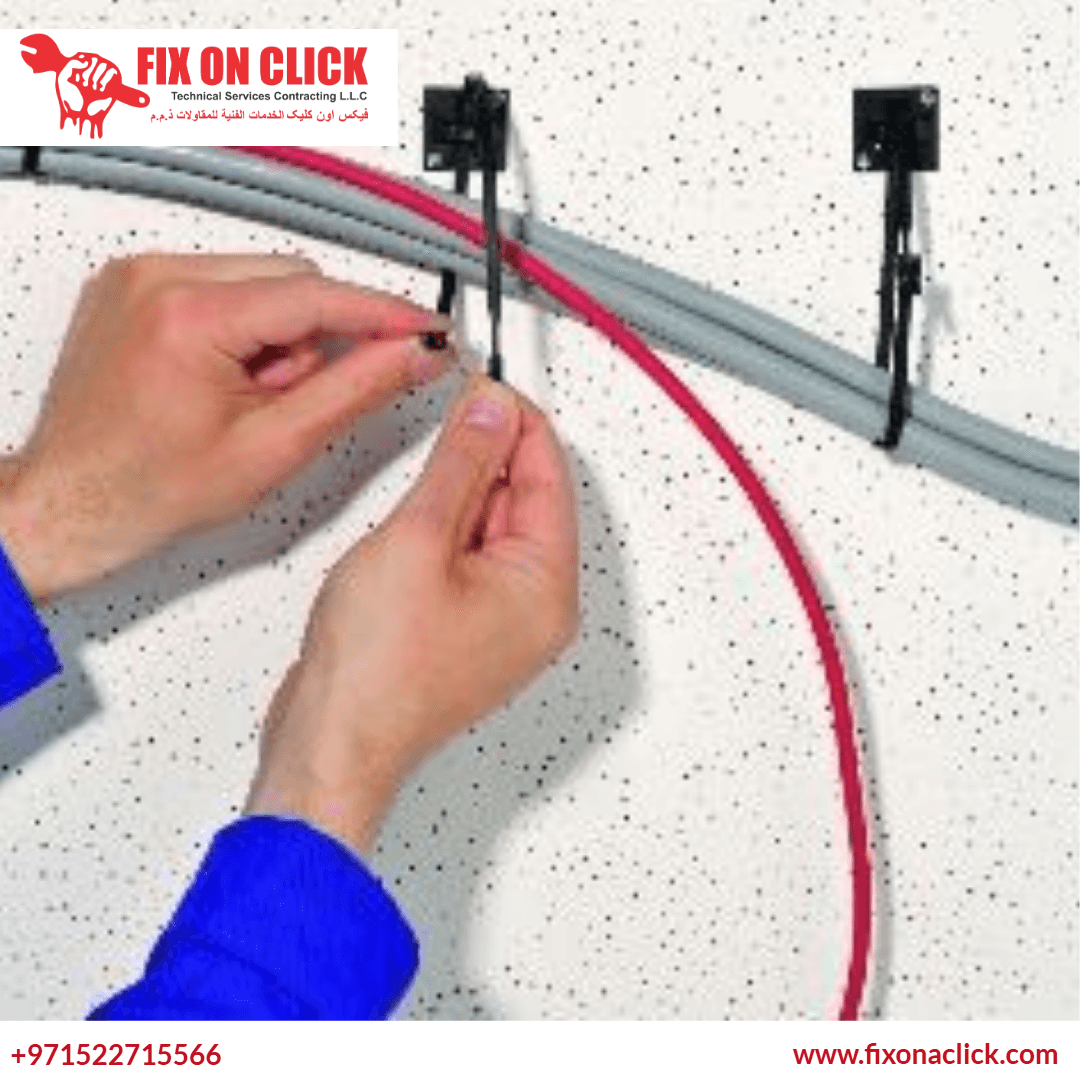
TV mounted on the wall with zero visible cables. AV receiver, soundbar, gaming console, and streaming box all connected and hidden. We either run cables behind the wall through the plasterboard cavity or use paintable trunking channels that blend into the wall after a coat of paint. Access points stay reachable at the TV height and at the equipment shelf so you can swap a cable later without cutting the wall open again.

Office Workstations

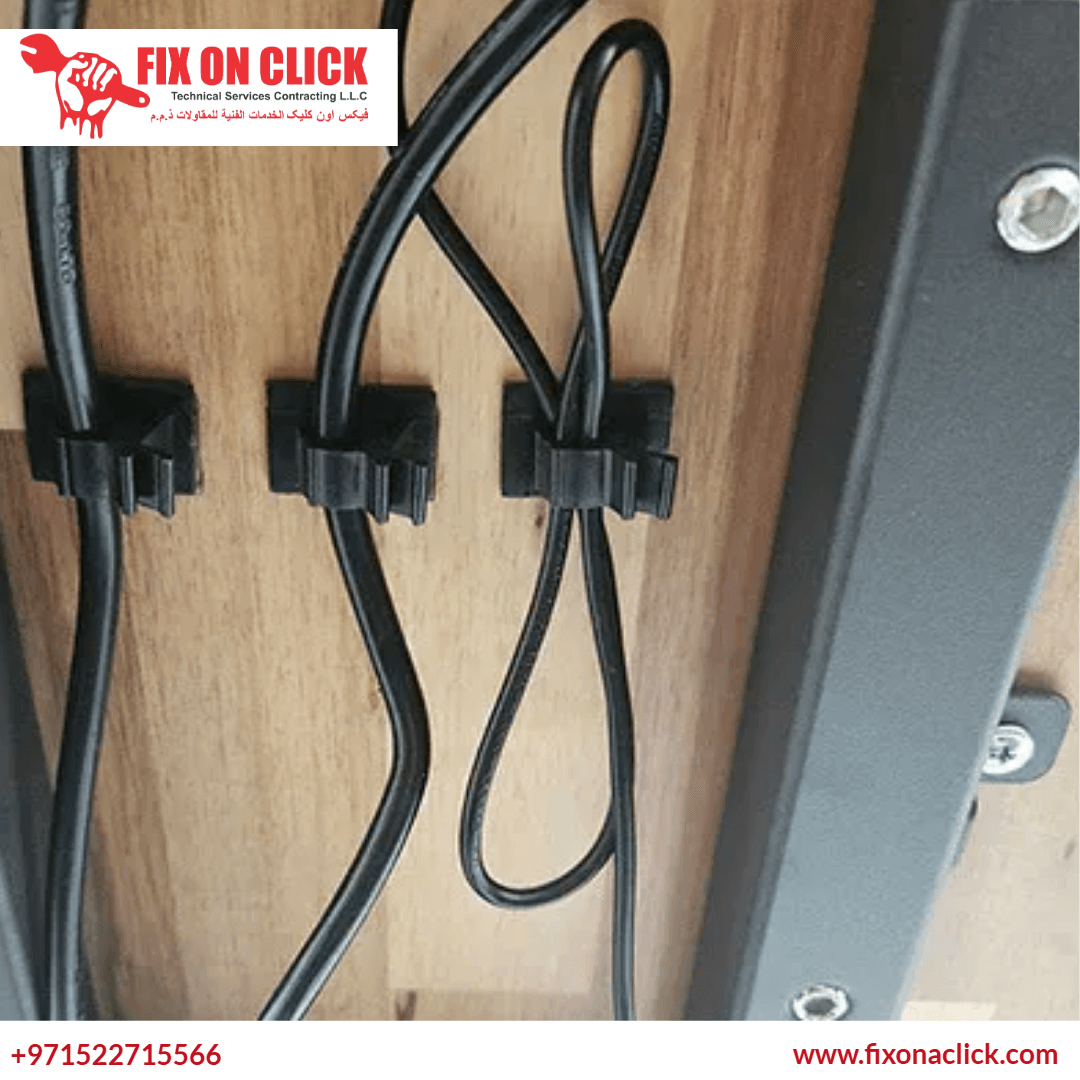
Under-desk trays hold the power strip and chargers on one side, monitor and peripheral cables on the other. Data lines from each desk route to a wall point, then to the patch panel. Floor crossings get flat cable covers — low profile, no trip hazard, barely visible. Every connection tagged at both ends so your IT person doesn't have to crawl under desks guessing which cable goes where when something stops working.

Server & Network Rooms

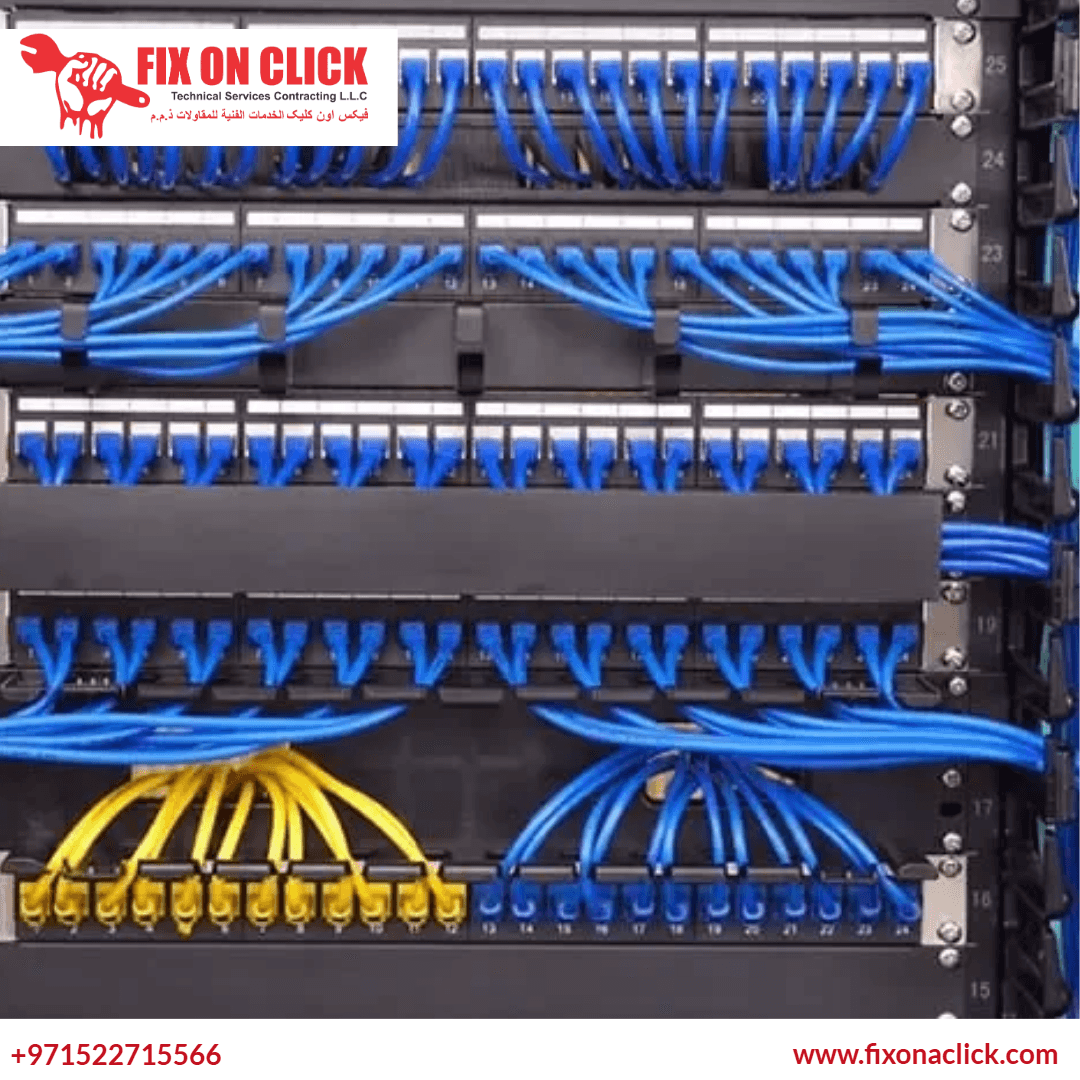
Horizontal and vertical cable managers in each rack. Patch panel runs grouped by function and colour-coded by cable type — blue for ethernet, yellow for fibre, red for power. Power cables on one side of the rack, data on the other. Every cable cut to length with no excess slack coiled up blocking airflow. Labels at both ends that actually last. This is where cable management directly affects system reliability and cooling performance.

Retail & POS Environments

Payment terminals, receipt printers, barcode scanners, and display screens all dump cables into a space your customers can see. We run surface-mount raceways along counter edges and behind shelving so nothing is visible from the customer side. When a terminal gets replaced — which happens every few years — the cables are accessible behind the counter without tearing apart the shop fitout. Clean cabling in retail directly changes how customers perceive the space.

Hotel Rooms & Meeting Spaces

Hotels need TV cables completely invisible and desk areas spotless — guests judge the room in the first 30 seconds. Meeting rooms need presentation screens, video conferencing cameras, ceiling mics, and room control panels all wired cleanly with single-cable desk connectivity. Both need installations that hold up to daily use by hundreds of different people who won't be gentle with the equipment. We've done these setups on Sheikh Zayed Road properties where the standard is unforgiving.

Residential Smart Home

Smart home systems connect a lot of devices — automation controllers, network switches, cameras, door sensors, speakers, motorised curtains, and access panels. If the cabling behind all of this isn't structured properly, you get intermittent device dropouts and a system that's painful to troubleshoot. We route everything through wall cavities or dedicated trunking to a centralised cabinet that stays accessible and organised as you add more devices over time.

How We Work

Six steps from your first call to a finished, labelled cable setup. No step gets skipped — especially the planning part, which is where most quick-fix cable jobs fall apart later.

Step 01

You Call or WhatsApp

Tell us what needs organising — a TV wall, an office floor, a server rack. Send a photo of the current mess if you can, it helps us understand the scope before we arrive. We'll ask the right questions so our technician shows up prepared.

Step 02

Technician Visits Your Site

Our technician comes to your location in Dubai, sees the actual setup, counts the cables, checks wall types — plasterboard or concrete — and identifies the routing paths. This is where we figure out what materials are needed and how long the job will actually take.

Step 03

Plan & Written Quote

We send you a written quote with exactly what we'll do, what materials we'll use, and what it costs. No vague estimates. You know the number before we start. For commercial jobs, the routing plan and labelling convention are included in the document.

Step 04

Installation Day

Cables get disconnected, routed through the planned paths, secured in trays or raceways, reconnected, and labelled at both ends. Power and data stays separated. The work area is cleaned up as we go. For larger jobs, we coordinate around your working hours.

Step 05

Full Testing

Every device is powered on and confirmed working after the installation. Network connectivity is checked, AV signals are verified, power delivery is confirmed. We don't pack up until everything that was working before is still working — just cleaner.

Step 06

Walkthrough & Handover

We walk through the entire setup with you. Every label checked, every connection verified. You get a explanation of the routing logic so you or your IT team can add a device or trace a cable later without calling us. Commercial jobs receive the cable schedule document.

6 Solid Reasons
To Choose Fix On A Click

Dubai businesses and homeowners keep calling us back for cable work because the result actually holds up. Here's what makes us different from the guy who shows up with a pack of cable ties.

We Plan Before We Touch Anything

Most cable tidy-up jobs skip straight to zipping ties. We don't. Every job starts with a routing plan agreed on site — where cables go, what stays separated, where to leave room for later. It adds maybe 20 minutes to the front end but saves hours of problems later when you need to add or change something.

Labelling Is Standard, Not an Upsell

Every cable gets labelled at both ends with printed tags — not handwritten tape. Residential jobs get simple labels like "Living Room TV" or "Bedroom 2 HDMI". Commercial jobs get structured IDs that map to the patch panel. This costs us a bit more in materials and time, but it's included in every quote because an unlabelled setup is half-finished.

We Use the Right Materials, Not the Cheap Ones

Flame-retardant raceways inside walls. Perforated steel trays in server rooms. Metal conduit in warehouses where cables take physical hits. Low-profile adhesive covers on visible residential walls. We stock all of these on our vans — the technician picks what's correct for your space, not what's easiest to carry.

We Don't Leave Until Everything Works

The job isn't done when the cables look neat. It's done when every device powers on, every network connection holds, and every AV signal is clean. We test the full setup before packing up. If something isn't working after the reroute, we fix it on the spot — we don't hand you a problem and leave.

Expansion Room Built In From Day One

Trays sized with spare capacity. Junction points placed where new cables can drop in cleanly. When you add that second monitor or the new printer three months later, the infrastructure handles it. We've re-done jobs for clients where the previous installer filled every tray to capacity — one new device meant starting over. We don't do that.

60+ Vehicles Covering All of Dubai

Downtown, Marina, JBR, JVC, JLT, Business Bay, DIFC, Silicon Oasis, Al Barsha, Mirdif, Deira, DIP — we cover the entire emirate. Over 60 service vehicles are on the road seven days a week. Call today and we schedule the site visit within 24 to 48 hours. No waiting weeks for an available slot.

Frequently Asked
Questions About Cable Management

Direct answers to the questions we get asked most often about cable management work in Dubai. If yours isn't here, just call or WhatsApp us.

01

How much does cable management cost in Dubai?

Starting prices are listed above on this page — basic residential organisation from AED 150, concealed routing from AED 350, and commercial work from AED 150 to AED 2,500+ depending on the number of desks and complexity. The exact cost is confirmed on site after our technician has seen the actual setup. Send us a photo on WhatsApp with a brief description and we can give you a realistic range before booking the visit — no point in anyone's time if the budget doesn't match.

02

How long does a typical cable management job take?

A single TV wall with surface-mount trunking takes about 1 to 2 hours. A full home entertainment setup with multiple devices takes 2 to 3 hours. Concealed in-wall routing adds time depending on the wall type — plasterboard is faster, concrete takes longer. Office workstations run about 30 to 45 minutes per desk. A 20-desk office with floor crossings and patch panel labelling is typically a full day. Server room work depends on the rack count — we'll give you a time estimate during the site visit so you can plan around it.

03

Will you need to cut into my walls?

Not always. Most Dubai apartments and villas use plasterboard for internal walls, and we can fish cables through the hollow cavity without any cutting — just small access holes at the top and bottom that get covered by the wall plate or TV bracket. If your walls are solid concrete, which is common in older Dubai buildings, full concealment means chasing channels into the concrete. It's doable but noisier and involves patching work afterward. If you don't want any wall work at all, surface-mount trunking painted to match the wall colour is the alternative — still clean, just not invisible.

04

Can you do cable management without drilling or wall work?

Yes, this comes up a lot with rental properties where landlords don't want walls touched. We use adhesive-backed raceways that stick to the wall surface — no drilling required. Under-desk cable trays clip directly to the desk frame. Floor cable covers sit flat on the floor with no fixings needed. The result isn't identical to fully concealed in-wall routing, but it's a massive improvement over a cable mess and it's completely reversible when you move out. Most tenants in Dubai go this route for exactly that reason.

05

Do you handle server room and rack cable management?

Yes. We've organised racks in server rooms across Dubai Internet City, DIP, and various office towers in Business Bay and DIFC. The work involves installing horizontal and vertical cable managers in each rack, sorting patch panel runs by function or VLAN, colour-coding by cable type, cutting every cable to length with no slack coiled up blocking airflow, and labelling both ends of every run. Power and data stay on opposite sides of the rack. For commercial jobs we also provide a cable schedule document so your IT team has a reference without tracing cables physically.

06

Why does separating power and data cables actually matter?

Power cables carry alternating current which generates an electromagnetic field around the cable. When data cables — ethernet, HDMI, audio — run right next to power cables in the same bundle, they pick up that interference. It shows up as slow network speeds, random connection drops, or fuzzy audio and video. We had a client in JLT who had been blaming their ISP for months — turned out their ethernet was zip-tied to a power cable run. We separated them onto different sides of the cable tray and the drops stopped that day. The fix costs nothing extra once it's planned into the routing from the start.

07

Do I need to buy any materials or cables myself?

No. We bring everything — trunking, raceways, cable trays, ties, labels, connectors, and any replacement cables needed. The material cost is included in the quote we give you on site. You don't need to visit any shop, figure out what size trunking to buy, or guess which cables are the right length. Our vans are stocked with standard cable management materials for both residential and commercial jobs. For specialised items like specific rack organisers or fire-rated conduit, we coordinate delivery to your site before the installation day.

08

Which areas in Dubai do you cover for cable management?

All of Dubai. Deira, Bur Dubai, Downtown, Business Bay, DIFC, Dubai Marina, JLT, JBR, Palm Jumeirah, JVC, JVT, Al Barsha, Al Quoz, Umm Al Sheif, Dubai Hills, Mirdif, Al Warqa, Silicon Oasis, DIP, and everywhere else. With 60+ service vehicles on the road every day of the week, we cover the entire emirate. Call or WhatsApp and we schedule the visit within 24 to 48 hours depending on your location and our current bookings.

Cable management service Dubai - Fix On Click technician with clean organised cable setup

Book Your Cable Management Visit Today

Whether your TV wall has a bird's nest of wires hanging down, your office floor has cables running across every walkway, or your server room has become an untraceable mess — send us a photo on WhatsApp or just describe what you're dealing with. We'll tell you what's involved, give you a realistic cost range, and schedule a visit. No pressure, no vague estimates, no surprise charges on the bill.

We cover the entire emirate — Downtown, Marina, JBR, Palm Jumeirah, JVC, JLT, Al Barsha, Business Bay, DIFC, Mirdif, Deira, Bur Dubai, Arabian Ranches, Al Quoz, Dubai Hills, Silicon Oasis, DIP, and every other community. Over 60 service vehicles on the road seven days a week.

+971 52 271 5566
WhatsApp: +971 52 271 5566
Serving All Areas Across Dubai, UAE
Available 7 Days a Week | Same-Day Response